🚀 CloudSEK featured in the 2026 Frost Radar™!
Read more
.avif)

Identity theft risk increases when personal records, credentials, or account access become available for unauthorized use. Personal data can exist across online accounts, communications, financial files, and physical documents, leaving some of it outside a person’s direct control. Practical security habits can limit unnecessary exposure and make misuse more difficult without promising complete protection.
Reducing that risk depends on recognizing how malicious actors obtain data or access for fraudulent purposes and where individual precautions can interrupt those attempts. Everyday safeguards can close avoidable gaps, while attention to suspicious changes and prompt action can limit the consequences when credible warning signs appear.
Identity theft is the fraudulent use of another person’s identifying information without permission. This can involve impersonating the person or accessing an account in their name. Financial activity carried out with those details also falls within the definition.
A leaked credential or disclosed record indicates exposure rather than confirmed theft. Evidence of actual misuse is required before that exposure can be classified as identity theft.
Malicious actors can obtain identifying data or login details through several routes.
These ten habits reduce avoidable opportunities for identity misuse without guaranteeing complete protection.
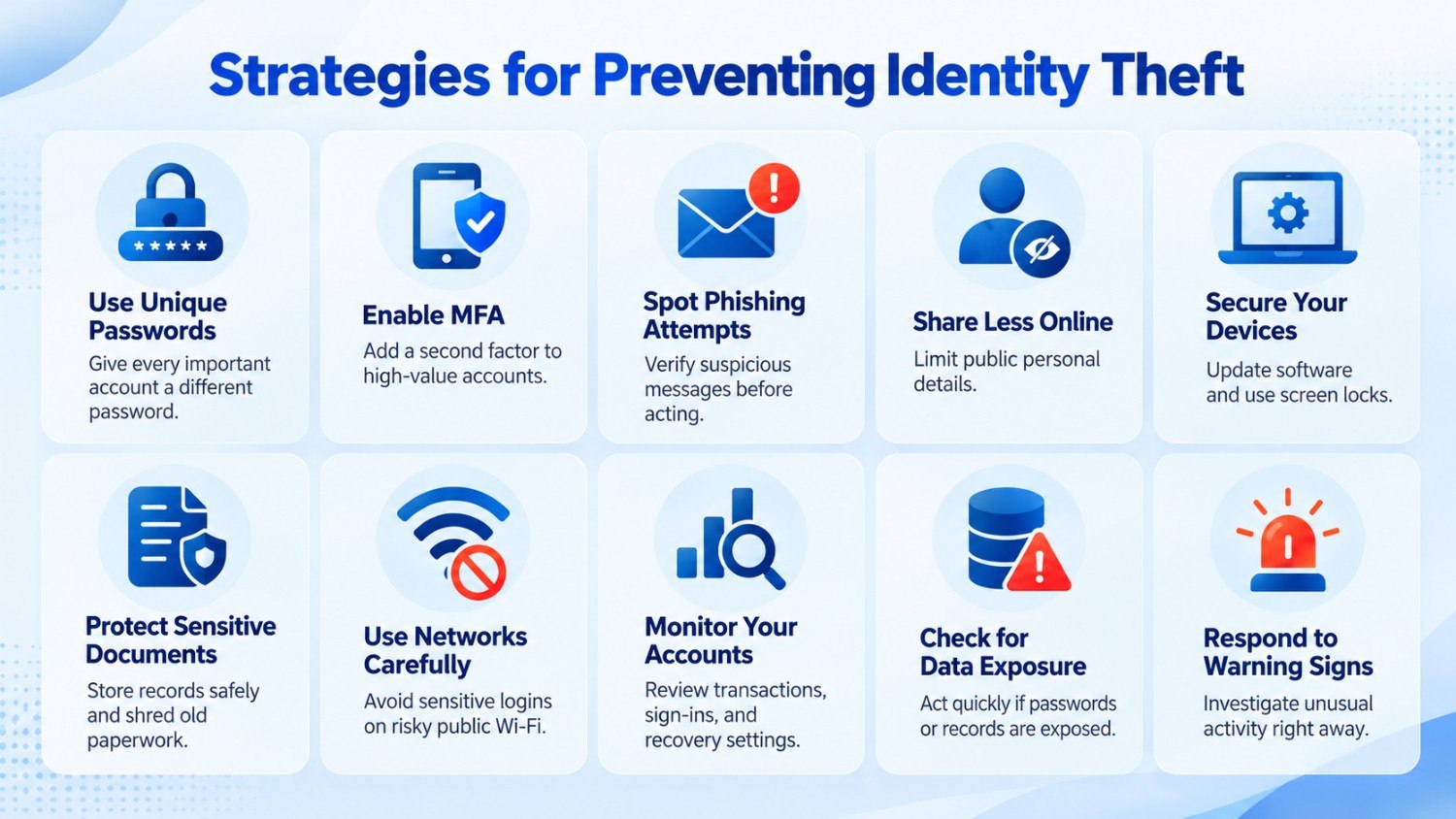
Give every important account a password used nowhere else. Start with primary email, banking, cloud storage, and any service that holds sensitive records. If email and banking share one password, a leak at either service gives an attacker the same secret to try against the other. The Australian Signals Directorate advises against reusing credentials across different systems for this reason.
A password manager makes separation easier by generating and storing a distinct secret for each login. A shopping-site password that later leaks then does not work for email, cloud storage, or financial services that use different passwords.
After separating passwords, add multi-factor authentication to email, banking, cloud storage, and other high-value accounts. Open the security or sign-in settings and activate the second factor offered there, such as an authenticator approval. Someone who steals the password must still satisfy that second requirement before completing the login. CISA notes that possession of a password alone does not necessarily provide entry once MFA is enabled.
Phishing messages use trust or urgency to obtain sensitive information. A common suspended-account lure directs the recipient to a spoofed sign-in page designed to capture whatever is entered. In March 2026, credential phishing accounted for 94% of malicious payload-based email attacks observed by Microsoft Threat Intelligence.
Verify an unexpected request outside the message that delivered it. Open the organization’s official website yourself or contact the sender through a channel you already trust. If a coworker unexpectedly asks for a verification code, confirm the request another way before sharing it.
Public profiles give scammers details that make targeted social engineering or impersonation more convincing. The FBI warns that birthdays, schools, relatives, and pet names support password guessing or security-question abuse.
Inspect each profile from the perspective of an unfamiliar visitor. Remove facts that do not need to remain visible and restrict the audience for posts containing private details. A profile that combines several personal facts gives an impersonator more context for building a convincing approach.
Outdated software or an unlocked device creates another route to personal files, browser data, and active sessions. UK NCSC guidance supports keeping devices and applications current, restricting physical use, and obtaining software from trusted sources.
Keep sensitive physical records in a locked or otherwise controlled location rather than with everyday household paperwork. That includes passports and identification documents, along with tax records, financial statements, and private mail. Once an old statement or tax document no longer needs to be kept, shred it instead of placing the intact record in household waste. The FTC advises secure storage while documents are needed and shredding personal or financial records once retention is no longer necessary.
Match the connection to the task. Reading a webpage on café Wi-Fi is different from resetting a banking password or entering payment details. HTTPS protects web sessions in transit, but an unfamiliar network still deserves more care during sensitive activity. Prefer a trusted connection for banking, payment, or recovery tasks; use encrypted connectivity such as a VPN if a shared hotspot is unavoidable. The Canadian Centre for Cyber Security warns that shared networks carry eavesdropping risk for passwords, payment details, and other private information.
Check financial and identity-related accounts regularly instead of waiting for an obvious loss. The IRS includes ongoing monitoring in its identity-theft prevention and recovery guidance. Regular review makes unfamiliar activity easier to spot before it goes unnoticed for long.
Extend the same habit beyond bank statements. Sign-in histories and recovery settings reveal events worth examining even before money moves. Treat anything unrecognized as a reason to establish what happened, not proof of identity theft.
Watch for:
After receiving a credible alert, identify exactly what information was involved. An exposed email address and a leaked password do not call for the same response, so base the next step on what the notice actually names.
If a password is affected, replace it on that account and change any reused copies elsewhere. Google Account Help also directs users to check unfamiliar signed-in devices if compromise is suspected.
Exposure confirms that information became available outside its intended context. It does not establish account takeover or identity theft. Early action reduces the usefulness of an affected secret without claiming more than the evidence proves.
An alert or unexplained event that does not match something you did deserves investigation. Apple identifies unusual authentication activity and altered account details among indicators that require prompt attention.
Go directly to the affected service and verify what happened. Examine recent events and secure any setting modified without permission, but base the conclusion on what the investigation confirms. Evidence of actual misuse moves the situation beyond routine prevention and into incident response.
Risk reduction comes from applying the earlier habits consistently rather than relying on a single safeguard.
What you do next depends on the information, login, or service involved.
Start with the login connected to the suspicious event. Change its password and replace reused copies on other services. Restore altered recovery details and close unfamiliar sessions where the platform allows it.
Reach the organization through its official support or security channel. Follow its documented process for restricting further use, verifying unauthorized changes, or securing the affected account.
Trace what happened from the first irregular event. Check recent transactions, sign-in history, linked services, profile details, and recovery settings for actions you did not authorize. For email, inspect forwarding or redirection rules that send messages to an unfamiliar destination.
Keep records that document what happened while securing the affected areas. Save suspicious messages and alerts along with screenshots, timestamps, and transaction details instead of deleting them. This preserves the sequence of events for later review or reporting without delaying immediate protective action.
Use the formal reporting route that matches the type of fraud and your jurisdiction. The appropriate channel depends on whether the case involves a financial institution, employer, government system, national fraud authority, or law-enforcement body. Follow the official procedure for the specific incident rather than assuming one process applies everywhere.
Continue monitoring after the immediate steps are complete because additional misuse may surface later. Investigate any new irregularity and take further action if the evidence shows the problem extends beyond the original event.
No. Personal precautions lower identity-theft risk, but they cannot govern every environment where identifying data is collected, stored, or processed. Banks, employers, online platforms, government systems, and other third parties retain records beyond an individual’s reach, leaving part of the risk outside everyday security decisions.
Prevention therefore has a practical limit. The aim is to reduce opportunities for misuse, recognize problems sooner, and contain the consequences when something does happen. Once personal responsibility reaches that boundary, the organizations holding identity-related data become responsible for protecting the environments under their control.
Personal data often sits in environments individuals cannot directly manage, so organizations need visibility into external conditions that support identity-related abuse. Relevant areas include workforce login data found outside approved systems, impersonation attempts, fraudulent domains, and weaknesses in internet-facing systems.
Track employee, executive, and company-associated sign-in details that surface in places where they should not appear. Their presence does not prove that an account was compromised, but it shows that authentication information has left its intended environment. Security teams can then confirm what was affected and respond according to the related service.
Fraudulent use of an executive’s name, employee identity, or brand presence can make malicious communication appear legitimate. Detecting these attempts gives defenders a chance to investigate phishing, fraud, or trust abuse without treating the activity as confirmed compromise.
Lookalike domains and imitation websites may support phishing or collect passwords under a trusted brand. Identifying them shows where legitimate names, pages, or web properties are being copied for deceptive purposes.
Internet-facing assets, misconfigurations, and reachable services create separate initial-access opportunities. Identifying these conditions allows remediation without assuming that every finding already belongs to an active attack.
Workforce sign-in data, impersonation activity, and internet-facing weaknesses provide stronger context when their relationships are examined together. Correlation helps security teams prioritize what deserves attention without claiming that every observation belongs to the same attack.
Identity-related threats often surface outside systems an organization directly controls, across underground sources, imitation websites, fraudulent apps, and impersonation campaigns. XVigil, CloudSEK’s digital risk protection platform, monitors organization-specific activity across these channels, including leaked login data, data disclosures, brand abuse, fake domains, executive impersonation, and takedown support.
Nexus AI connects relevant XVigil findings with other security data across the CloudSEK platform to provide attack-path context. This correlation shows how separate observations may relate without treating every finding as evidence of an active compromise.
Identity theft concerns the misuse of another person’s identifying information, while identity fraud refers to fraudulent activity carried out through identity misuse. The exact terminology can vary across authorities, so the final distinction should follow the definitions used by the approved source.
Yes. A child’s identifying information can be used without permission just as an adult’s can. The specific forms of misuse and any related warning signs should be described according to the official consumer-protection guidance used for this article.
Synthetic identity theft involves creating an identity from a combination of real and fabricated identifying details. Unlike direct impersonation of one existing person, the resulting profile contains information drawn from more than one source or includes invented elements.
Yes. Identity misuse is not limited to direct financial theft. Another person’s identifying information may be used for impersonation, unauthorized account activity, or other fraudulent purposes without money being taken from the victim.
There is no universal timeframe. Its usefulness depends on the type of information involved and whether that information can be changed, replaced, or otherwise made less useful after disclosure. A precise lifespan should not be assigned without evidence supporting that specific type of data.
