Spyware: Types, Warning Signs, and How to Remove It

Spyware is malware that secretly monitors a device and steals data—spyware types, warning signs, real examples, and how to remove and prevent it.
Published on
Wednesday, October 7, 2026
Updated on
October 6, 2026

Spyware works by staying out of sight. It slips onto a device bundled with free software or hidden inside a fake update, settles into the background, and quietly records passwords, keystrokes, and browsing activity before sending everything to whoever planted it. That hidden behavior is the whole point: spyware is malicious software that secretly monitors a device and steals its data, designed to go unnoticed for as long as possible.

Behind the quiet sits an industrial economy. The European Union Agency for Cybersecurity (ENISA) ranks info-stealers among the most prevalent threats fuelling credential theft and access brokering, with the Lumma stealer assessed as the most widespread strain in circulation through 2025.

What is Spyware?

Spyware is a broad category of malware defined by intent rather than technique: it gathers information about a person or organization without consent and hands it to a third party. What it takes ranges from passwords and payment details to messages, location, and a full record of everything typed.

Concealment separates spyware from noisier malware. Ransomware announces itself, and adware floods the screen, whereas spyware earns its value by running unnoticed, sometimes for months, while it collects. That patience is what makes it dangerous even when the payload looks modest.

The label covers a wide span, from consumer tracking cookies to government-grade surveillance tools. What unites them is the quiet siphoning of data from a device its owner believes is private.

How Does Spyware Work?

Spyware follows the same three-phase pattern regardless of its target.

Infection

Spyware reaches a device by deception. It rides along with free software, hides inside a cracked application or a fake update, or arrives through a phishing link that runs code the moment it opens.

Surveillance and Collection

Once resident, spyware watches. Keyloggers record every keystroke, screen recorders capture activity, and browser-focused variants copy saved passwords, autofill data, and the session cookies that keep a user logged in.

Exfiltration

Collected data leaves quietly. Spyware sends it to a command-and-control server the attacker controls, often in small bursts disguised as ordinary traffic, and modern infostealers complete the whole cycle within 48 hours of infection.

Types of Spyware

Spyware spans several forms, distinguished by what they collect and who deploys them:
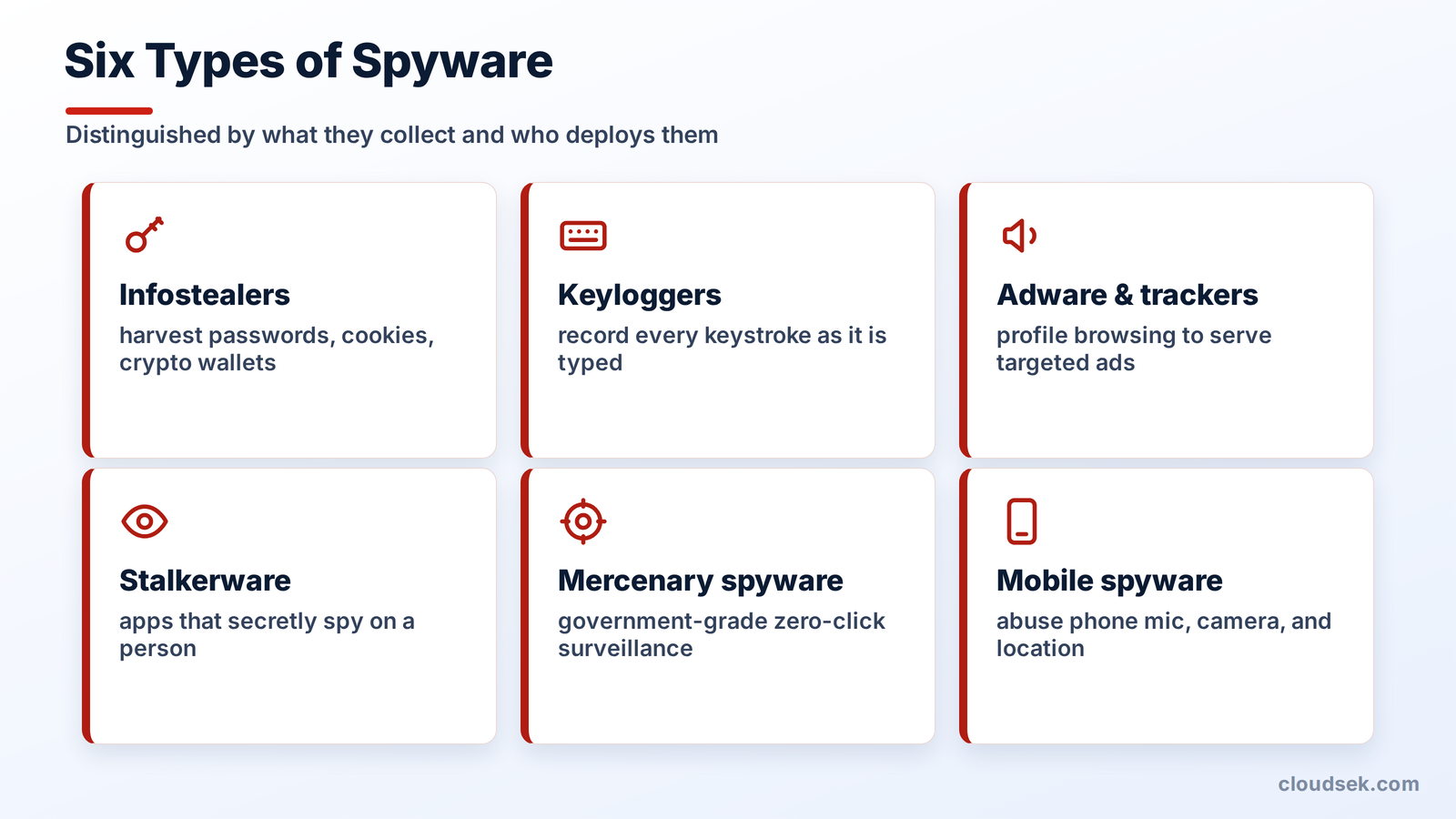
types of spyware
  • Infostealers. Malware that harvests saved passwords, session cookies, and crypto wallets from a browser, then sells the haul on dark web markets.
  • Keyloggers. Tools that record every keystroke, capturing credentials, messages, and card numbers as they are typed.
  • Adware and trackers. Software that monitors browsing to serve targeted ads, ranging from merely intrusive to genuinely invasive when it profiles behavior without consent.
  • Stalkerware. Consumer apps sold for monitoring a partner, child, or employee, which secretly report location, messages, and calls.
  • Mercenary spyware. Commercial surveillance tools that governments buy to target journalists, activists, and officials through zero-click exploits needing no user action.
  • Mobile spyware. Malicious apps that abuse phone permissions to reach the microphone, camera, location, and messages.

Notable Spyware Examples

Real spyware families show how far the category stretches, from early nuisance software to state-grade surveillance:

  • CoolWebSearch. One of the first widespread browser hijackers in the early 2000s, it rewrote search results, forced ad pages, and resisted removal.
  • Agent Tesla. A commodity keylogger and stealer spread through phishing since 2014, capturing keystrokes, clipboard data, screenshots, and saved credentials.
  • DarkHotel. Espionage spyware that targeted executives over luxury-hotel Wi-Fi, logging keystrokes and then deleting itself to evade detection.
  • FinFisher, or FinSpy. Commercial surveillance software sold to governments, able to read messages, track location, and switch on the webcam and microphone across Windows, macOS, Android, and iOS.
  • Pegasus. NSO Group's mercenary spyware, delivered through zero-click exploits to fully compromise a phone, documented by Citizen Lab against journalists and activists worldwide.
  • Lumma and RedLine. The infostealers driving today's credential economy, rented as a service and linked to billions of stolen logins.

How Spyware Infects Devices

Spyware relies on a handful of dependable delivery routes:

  1. Bundled software. Legitimate-looking free programs that install spyware alongside the advertised tool.
  2. Phishing. Emails and messages carrying malicious attachments or links that deliver the payload on contact.
  3. Malicious ads and downloads. Poisoned advertisements and fake download buttons that trigger a drive-by installation.
  4. Fake updates. Prompts imitating a browser or system update that install spyware instead.
  5. Pirated software. Cracked applications and game cheats that hide a stealer inside the download.

Signs of a Spyware Infection

Spyware hides by design, though several symptoms tend to surface:

  • Slowdowns, freezes, or crashes as spyware consumes resources.
  • Pop-ups, new toolbars, or a changed browser homepage appearing unprompted.
  • Spikes in data usage or, on mobile, rapid battery drain.
  • Security settings that switch off without explanation.
  • Apps or processes that appeared without ever being installed.
  • Login or MFA alerts for actions nobody initiated.

Spyware in 2026: The Infostealer Surge

Infostealers have become the dominant form of spyware, run as a professional business. Malware-as-a-service vendors rent variants like Lumma and RedLine for a monthly fee, letting unskilled operators harvest credentials at scale.

The session cookie is the prize. Once a user clears multi-factor authentication, the browser holds a token proving the check already passed, and an infostealer that copies that token lets an attacker resume the session without facing MFA at all.

That single capability rewires the breach economy. Stolen logs reach dark web markets within hours, initial access brokers filter them for corporate VPN and SSO credentials, and ransomware crews buy the qualifying ones to log straight into target networks. Phishing emails carrying infostealers have climbed sharply year over year, and the 2024 Snowflake breaches, which reached roughly 165 organizations, ran entirely on infostealer-harvested credentials that lacked MFA.

Monitoring for exposed credentials is the counter. Because stealer logs surface publicly and in criminal markets, watching those sources for a company's leaked credentials closes the window between infection and misuse. CloudSEK's research tracks this underground economy, tracing how infostealer logs feed the credential trade that fuels ransomware and account takeover.

How to Remove Spyware

Removing spyware follows a clear sequence, and the order matters:
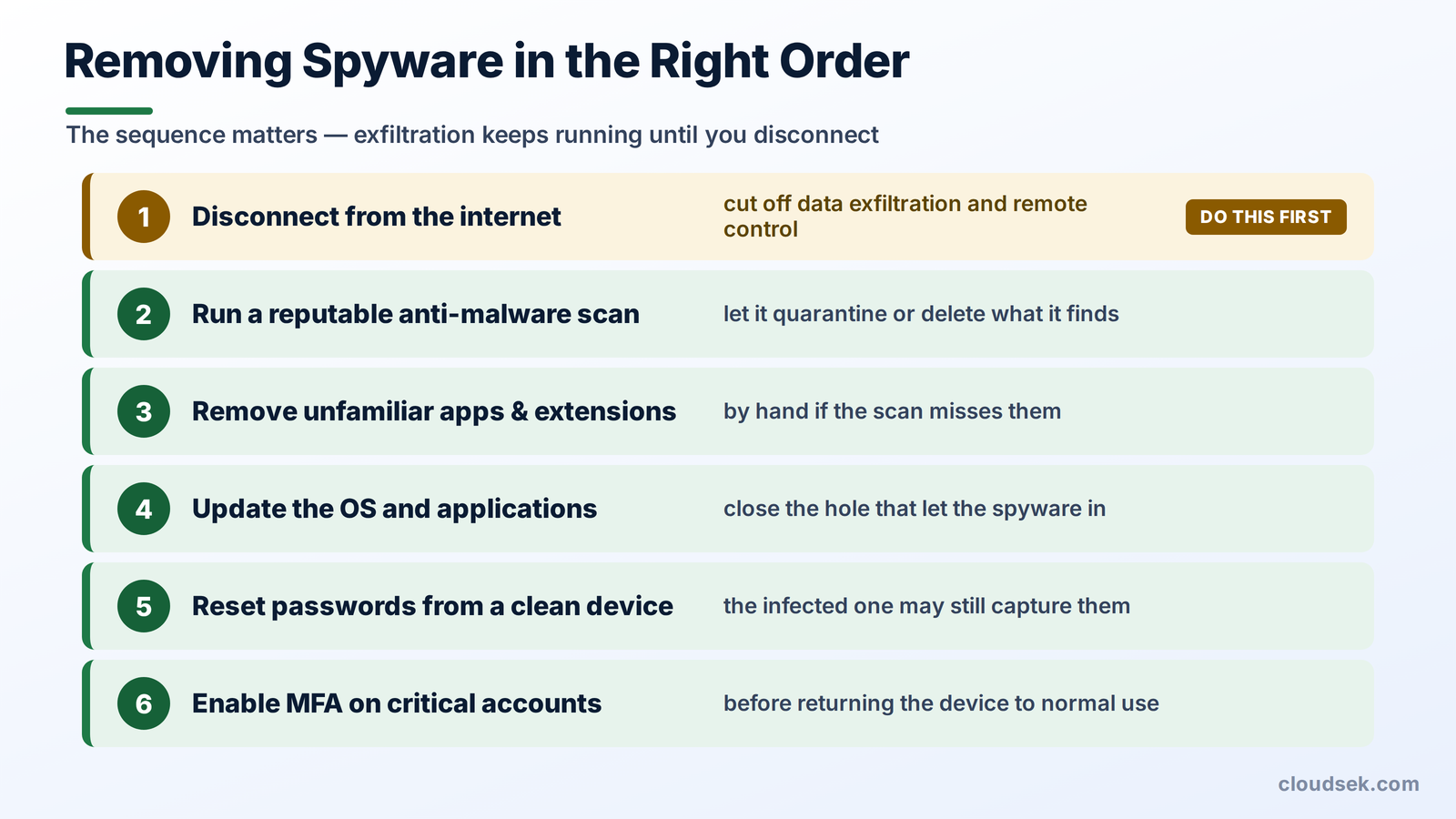
how to remove spyware

how-to-remove-spyware

‍

  1. Disconnect the device from the internet to cut off data exfiltration and remote control.
  2. Run a reputable anti-malware scanner and let it quarantine or delete what it finds.
  3. Remove unfamiliar programs, browser extensions, and mobile apps by hand if the scan misses them.
  4. Update the operating system and applications to close the hole that let the spyware in.
  5. Reset every important password from a separate, clean device, since the infected machine still risks capturing anything typed into it.
  6. Enable multi-factor authentication on critical accounts before returning to normal use.

How to Prevent Spyware

Preventing spyware comes down to limiting how it arrives and what it reaches:

  • Patch promptly. Keep the operating system, browser, and apps current, since spyware exploits known holes.
  • Download from trusted sources. Stick to official app stores and vendor sites, and avoid cracked software entirely.
  • Scrutinize permissions. Question any app requesting access to the microphone, camera, or messages it has no reason to use.
  • Run anti-malware. Keep reputable protection active to catch common spyware before it settles.
  • Enable MFA. Add a second factor so a stolen password alone does not open an account.
  • Stay alert to phishing. Treat unexpected attachments, links, and update prompts as suspect until verified.

Frequently Asked Questions

Is spyware the same as a virus?

No, spyware and viruses are different types of malware. A virus replicates and spreads to other files or systems, while spyware focuses on silently collecting data and does not necessarily self-replicate.

Is spyware illegal?

Creating or installing spyware on a device without the owner's consent is illegal in most jurisdictions. Commercial surveillance tools and stalkerware occupy contested legal ground that varies by country.

What is the difference between spyware and adware?

Spyware secretly steals data, while adware displays unwanted advertisements. Adware crosses into spyware when it tracks and profiles behavior without consent.

Can spyware infect a smartphone?

Yes, phones are common spyware targets through malicious apps, stalkerware, and mercenary surveillance tools. Both Android and iOS devices are affected.

Does a factory reset remove spyware?

A factory reset removes most spyware by wiping the device to its original state. Advanced mercenary spyware that embeds in firmware occasionally survives and needs vendor-level intervention.

Can antivirus detect all spyware?

Antivirus catches most common spyware but not all of it. Advanced and mercenary variants use evasion techniques that routine scanning misses, which is why layered defenses matter.

Related Posts
Malware vs. Virus vs. Worm: How They Spread & Key Differences
Malware is malicious software; viruses replicate inside a host file, and worms spread as standalone programs. Their replication methods determine how infections continue.
12 SaaS Security Threats and How to Mitigate Them
SaaS security threats include stolen credentials, session hijacking, and data loss. Mitigation requires secure sign-ins, limited permissions, and controlled integrations.
Capital One Data Breach (2019): Attack Path, Root Causes, and Cloud Security Lessons
The Capital One breach shows how a misconfigured WAF, AWS credentials, IAM permissions, and S3 access formed an attack path, plus where cloud defenses can stop it today.

Start your demo now!

Schedule a Demo
Free 7-day trial
No Commitments
100% value guaranteed

Related Knowledge Base Articles

No items found.