🚀 CloudSEK featured in the 2026 Frost Radar™!
Read more
.avif)

A virtual data center (VDC) is a software-defined pool of computing, storage, and networking resources delivered to one tenant as an isolated environment.
It replicates physical data center capabilities using virtualization and cloud infrastructure, dynamically allocating resources while maintaining strict workload separation. Servers, storage volumes, and networks all exist, and none of them are tied to hardware the tenant owns or touches.
This term carries more than one meaning in practice, and confusing them leads to the wrong buying decision. Anyone evaluating a VDC needs to know which one a vendor is using.
Virtual data center describes both a general architecture and a specific tenancy construct. Most published explainers cover only the first and leave buyers unprepared for the second.
In the broad sense, a VDC is any infrastructure where compute, storage, and networking are virtualized and managed through software. Software-defined data center, or SDDC, names the same idea. The label is loose enough that many vendors apply it to any virtualized estate.
Under the narrow definition, a VDC is an allocation of resources carved out of a provider's pool and assigned to one tenant. Platforms such as VMware Cloud Director build this directly into the product. A provider virtual data center aggregates the underlying clusters, storage, and network pools. An organization virtual data center is the slice a single tenant receives from it.
That distinction decides what a buyer actually controls once the contract is signed. In the narrow sense, the VDC has a quota, a billing model, and a defined isolation boundary. In the broad sense, it describes an architectural style and promises nothing specific about either.
A virtual data center works by abstracting physical infrastructure into software-controlled layers. Resources are created, resized, and removed through configuration, and physical equipment stays untouched throughout.
Hypervisor software divides physical servers into virtual machines or containers. Each virtual machine runs its own operating system and applications. Many workloads share the same hardware while staying independent of one another.
Storage virtualization pools physical disks into logical volumes across the estate. Applications see flexible capacity in place of fixed drives. Capacity expands or shrinks without downtime and without adding disks.
Software-defined networking replaces physical switches and routers with configuration held in software. Traffic flow, isolation, and firewall policy are set through policy. Changing a network segment takes an edit, not a cable run.
A working VDC brings together the parts a physical facility would deliver in hardware. Each one is defined and changed through software.
Allocation models decide how and when a provider commits resources to a tenant's VDC. This choice sets cost, performance predictability, and what happens under contention. Platform documentation from Broadcom for VMware Cloud Director defines four of them.
Elasticity works alongside the allocation model as a separate configuration choice. An elastic allocation pool reserves nothing in advance and spans multiple clusters, leaving the provider to manage overcommitment. A non-elastic pool stays inside its assigned capacity. Tenants who skip this detail discover it during their first contention event.
Both approaches deliver compute, storage, and networking to the same workloads. They differ in how resources are provisioned, scaled, paid for, and recovered.
Virtual Data Centers are deployed in three primary models, based on ownership, isolation level, and integration with existing infrastructure.
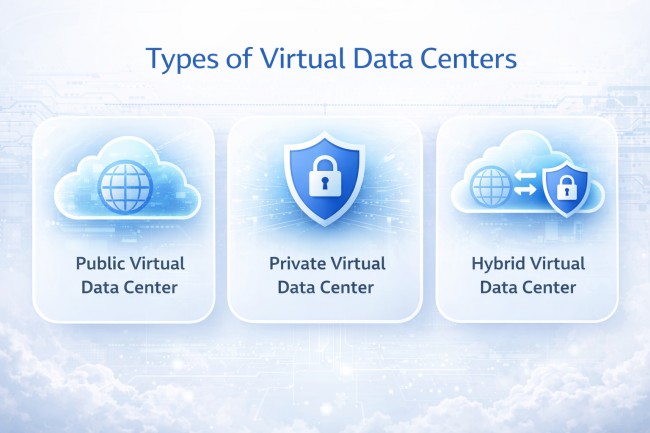
Adjacent terms get used interchangeably, and each one describes something different.
A virtual private cloud is a logically isolated network inside a public cloud account. It governs addressing, subnets, and routing. A VDC covers compute and storage allocation as well, so a VPC covers the networking layer alone.
Private cloud describes an infrastructure model where resources serve one organization exclusively. A VDC is a unit of allocation built on top of infrastructure, private or public. One term describes ownership, the other describes how capacity gets carved up.
Colocation rents physical space, power, and connectivity for hardware the customer owns and maintains. Nothing about it is virtualized by the provider. Organizations frequently run a VDC on top of colocated hardware, which is how the two get conflated.
Deployment choice follows from isolation requirements, regulatory obligations, and the results of vendor risk monitoring on the provider itself. There are mainly 3 VDC deployment models:
Shifting infrastructure control from hardware to software delivers real gains, but it also creates problems that hardware never had.
Resource sprawl remains the standing trade-off in every VDC deployment. Provisioning that takes two minutes produces machines nobody decommissions. Cost savings erode inside a year without governance and automated lifecycle policy.
Terminology deserves a second caution before any vendor evaluation begins. Software-defined data center has been criticized since it appeared as a marketing label stretched across very different architectures. A vendor claim of VDC capability says little on its own, while the allocation model and the isolation boundary say a great deal.
Organizations adopt VDCs where infrastructure needs to change faster than hardware procurement allows.
Business applications and customer-facing services run on allocated resources that scale with demand. Performance stays consistent through traffic peaks without permanent overprovisioning.
A standby environment costs far less when it consumes no dedicated hardware. Replication and rapid restore bring systems back after outages and after ransomware incidents.
Teams create and destroy isolated staging environments within minutes of needing them. Testing runs against production-like infrastructure with no wait for hardware allocation.
Applications running on aging hardware move into virtualized environments without being rewritten. This cuts dependence on equipment that is expensive to maintain.
Security in a VDC rests on software controls, and the management plane carries the highest concentration of risk. NIST addresses this directly in SP 800-125B, which treats virtual machines as end-nodes of a virtual network and names segmentation and firewall placement as the configuration areas that decide whether those machines stay protected.
An administrator console controls every host, every running machine, and every stored snapshot. Compromise of that console is compromise of the whole estate. Cloud Security Alliance researchers documented active exploitation of CVE-2026-59310 in VMware vCenter, a directory traversal flaw rated 9.8, with incident responders identifying 361 victim IP addresses across 47 countries.
Defenders control exposure far more than they control the vulnerability itself. Management interfaces belong on a segmented network, reachable through a bastion host or VPN with multi-factor authentication, and never from the public internet. A security operations team that treats the console as tier-zero infrastructure removes most of this risk.
Traffic between workloads inside the VDC never crosses a perimeter device. A compromised machine reaches its neighbors without passing any inspection point unless microsegmentation is configured deliberately. Mapping the resulting attack path after an incident is far harder than blocking the connection at design time.
Fast provisioning leaves behind test machines, forgotten templates, and old snapshots. Each one runs unpatched software and holds credentials that were valid when it was created.
Shared infrastructure separates tenants through configuration alone, never through hardware. A misconfigured network pool or a permissive storage policy weakens that separation. The failure stays invisible from inside either tenant.
Providers secure the underlying platform and nothing running inside a tenant allocation. Customers secure their own workloads. Teams that misread the boundary leave those workloads with no controls at all, which is one route a third-party breach takes into an organization that assumed the provider had it covered.
No. A private cloud is an infrastructure model. A virtual data center is the allocation and management layer built on top of it.
No. They reduce dependence on owned hardware. Physical facilities still host the servers that virtualized resources run on.
It varies by platform. Many tie a VDC to resources inside a single site, while others allow allocation across clusters in several locations.
The tenant, in most contracts. Providers protect the platform, and workload-level backup and retention stay with the customer.
By allocation model. Pay-as-you-go tracks consumption, while reservation pools charge for committed capacity whether it is used or not.
Virtualization administration, software-defined networking, identity management, and infrastructure-as-code for provisioning and lifecycle control.
