🚀 CloudSEK featured in the 2026 Frost Radar™!
Read more
.avif)

Key Takeaways:
Malware is malicious software designed to infiltrate systems, exploit vulnerabilities, and carry out unauthorized actions without user permission. It can steal information, damage files, weaken security defenses, or monitor user behavior.
Every type of malware performs harmful tasks that compromise privacy or system stability. These tasks depend on the attacker’s objectives and the malware’s payload.
Understanding what malware is provides the foundation for learning how it operates inside a system.
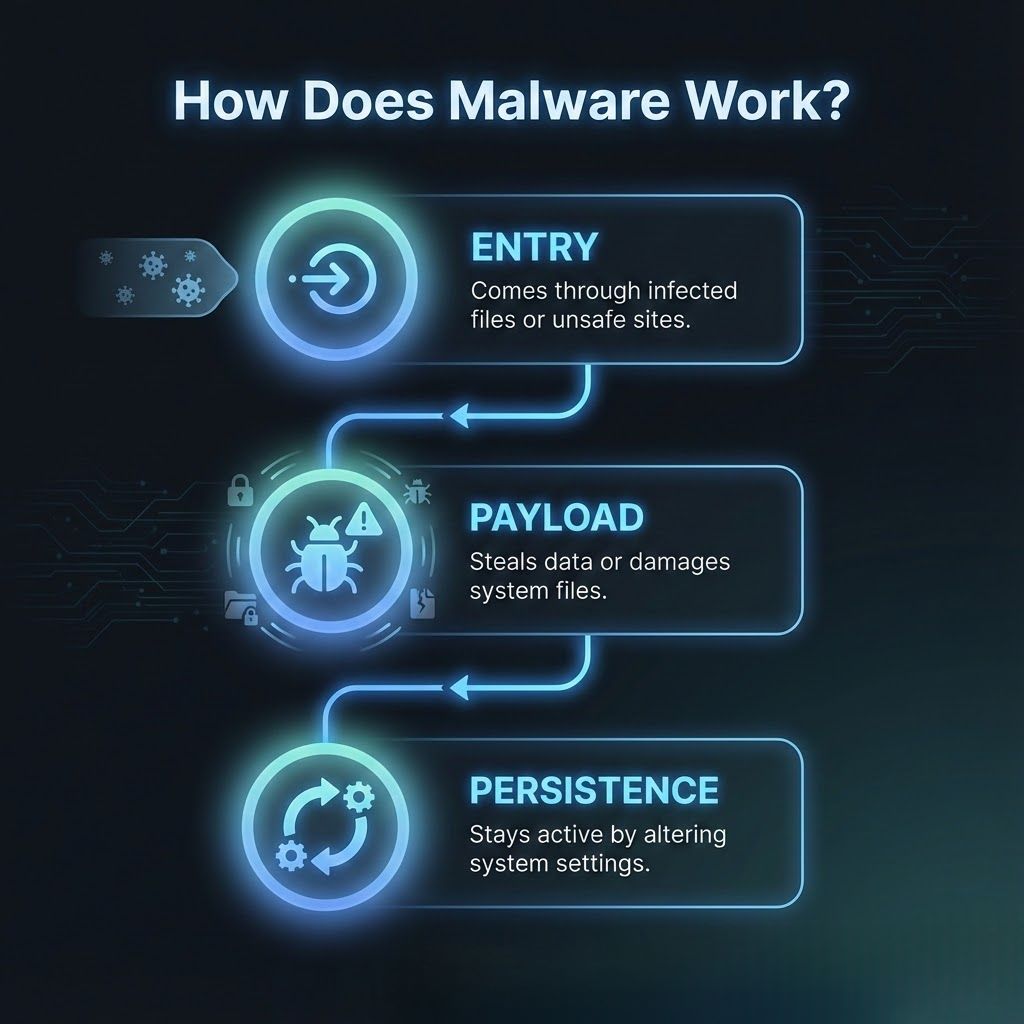
Malware typically enters systems through infected attachments, compromised websites, malicious software downloads, and unpatched vulnerabilities. It uses deceptive methods or system weaknesses to gain access.
Once inside, malware activates a payload that may record keystrokes, exfiltrate data, spy on user behavior, or corrupt operating files. Payload execution varies by malware type and attack intent.
Many malware strains attempt to establish persistence by modifying system processes or startup settings so they can continue operating even after reboots.
Virus attaches itself to legitimate files and activates when those files are opened. It can corrupt data or spread across networks through shared documents.
Worm spreads automatically by copying itself across devices without user interaction. It frequently causes widespread slowdowns or network failures.
Trojan masquerades as trusted software and persuades users to install it. Once active, it may create backdoors, download additional malware, or steal credentials.
Spyware secretly monitors user activity and collects sensitive data such as passwords, browsing habits, or financial information. Attackers use this information for unauthorized access or identity theft.
Adware displays intrusive advertisements and may track user behavior for profit. It is often bundled with free applications and weakens system efficiency.
Rootkit hides malicious activity by altering core system processes. It allows attackers to maintain long-term access without detection.
Fileless malware operates directly in system memory instead of relying on stored files. This approach makes detection difficult because traditional antivirus tools scan files rather than memory.
Botnet malware turns infected devices into remotely controlled bots. Attackers use these devices to launch large attacks or distribute new threats.
Ransomware is a type of malware that blocks access to files or entire systems until a ransom is paid. It usually encrypts important files and displays a ransom message demanding payment in cryptocurrency.
Victims cannot access their data until attackers provide a decryption key. This creates immediate pressure for organizations that depend on uninterrupted operations.
Because it disrupts productivity instantly, ransomware is considered one of the most dangerous cybersecurity threats.
Crypto-ransomware encrypts files using strong algorithms and prevents users from opening their data. Victims must obtain a decryption key to recover access.
Locker ransomware blocks access to the entire device without encrypting individual files. It restricts keyboard and mouse input, making devices unusable.
Double-extortion ransomware steals sensitive files before encryption. Attackers threaten to publish the stolen data if the ransom is not paid.
RaaS allows cybercriminals to rent ready-made ransomware kits. Affiliates use the tools and share ransom profits with creators.
Wiper ransomware destroys data permanently rather than encrypting it. Even paying the ransom does not restore lost files.
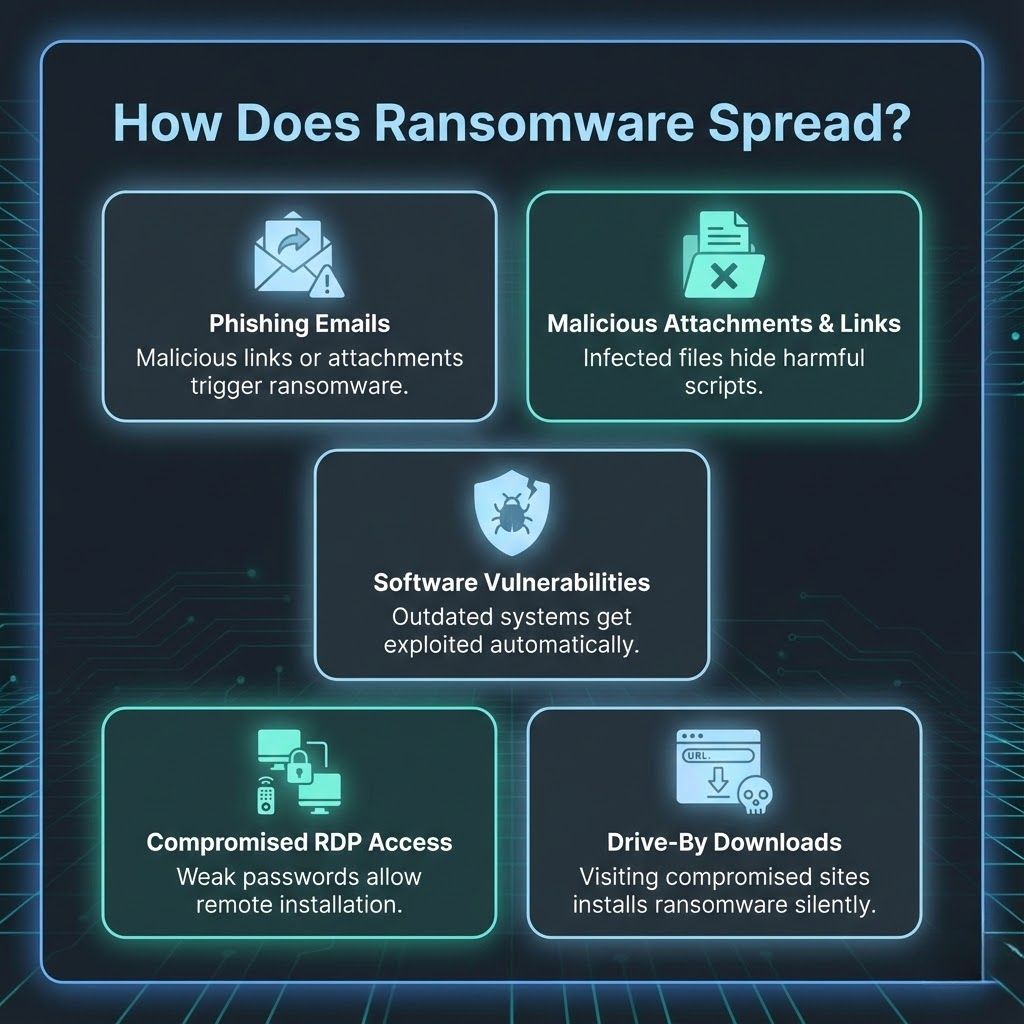
Phishing remains the most common delivery method. Emails contain malicious links or attachments that execute ransomware when opened.
Infected documents or compressed files contain hidden scripts. Users trigger the ransomware by interacting with these files.
Exploit kits identify outdated software and deliver ransomware without user involvement. Unpatched systems are prime targets.
Weak passwords and exposed RDP services allow attackers to access devices remotely and install ransomware manually.
Malicious websites or compromised pages automatically install ransomware when users visit them. No interaction is required.
Malware is created to steal information, spy on users, damage systems, or open unauthorized access channels. Ransomware is designed with a single purpose, which is financial extortion through encrypted or blocked files.
Malware often operates silently and attempts to remain hidden for as long as possible. Ransomware produces immediate system disruption by locking the user out of essential data.
Malware uses harmful techniques such as keylogging, unauthorized data transfer, file corruption, or remote access. Ransomware relies on cryptographic algorithms that render files unreadable until decryption keys are provided.
Malware exposes users to identity theft, privacy loss, weakened security, and unauthorized surveillance. It frequently operates undetected and causes long-term harm. Ransomware produces more severe consequences because encrypted data becomes unusable.
Organizations face financial loss, operational downtime, and public exposure of stolen data. Both threats increase the risk of compliance failures, reputational damage, and expensive recovery operations.
Malware infections can often be removed with security tools when detected early. This reduces long-term damage. Ransomware recovery is much harder and may require clean backups, specialized decryption tools, or complete system rebuilding.
Malware symptoms include slower devices, unusual pop-ups, unexpected applications, and abnormal resource usage. Ransomware displays clear signs such as encrypted files, changed file extensions, lock screens, or visible ransom demands.
Malware disrupts privacy and weakens organizational security, potentially exposing sensitive information. Ransomware disrupts business operations entirely and can shut down critical services, causing severe financial and reputational damage.
Regular updates fix vulnerabilities that attackers use to enter systems. Patch management is essential for reducing exposure.
Antivirus and endpoint detection tools monitor abnormal behavior and prevent malware from executing harmful actions.
Backups allow organizations to restore data without paying ransoms. Backups should be kept offline or in separate secure environments.
Training users to recognize suspicious messages reduces the most common infection path. Awareness is a strong defense layer.
Zero-trust frameworks restrict access based on identity and device health. They limit how far attackers can move inside networks.
Segmenting networks isolates sensitive data and prevents widespread infection. It minimizes damage when a breach occurs.
Email filtering blocks malicious content before it reaches users. Attachment scanning identifies harmful scripts and files.
Yes, ransomware is a form of malware that locks or encrypts data until payment is made. It functions as a specialized category within the broader malware family.
Ransomware can be removed, but encrypted files may remain inaccessible without backups or legitimate decryption tools. Recovery depends on the type of ransomware and available restoration options.
Slow system performance, intrusive advertisements, unexpected software installations, and unusual network activity are common signs of malware. These indicators show that unauthorized processes may be running in the background.
Ransomware is more severe because it blocks access to important files and disrupts the ability to operate systems normally. This immediate impact creates urgent recovery challenges for both individuals and businesses.
Most ransomware attacks start with phishing emails, malicious attachments, or compromised downloads. Attackers also exploit unpatched software vulnerabilities to gain access.
Understanding the difference between malware and ransomware helps users recognize their unique behaviors, risks, and impacts. Malware compromises systems in many ways that may go unnoticed, while ransomware immediately locks critical files and causes urgent disruption.
Protecting against these threats requires strong cybersecurity habits, regular updates, secure backups, and trained users who can spot suspicious content.
A proactive defense strategy ensures better digital safety and minimizes the long-term impact of evolving cyber threats.
