🚀 CloudSEK featured in the 2026 Frost Radar™!
Read more
.avif)

Email security is the set of controls protecting email accounts, message content, and sender identity from phishing, business email compromise, malware delivery, and account takeover.
CloudSEK's threat research team gained admin access to BigBear 2.0, a Microsoft 365 phishing-as-a-service operation running across 42 VPS nodes with 5,137 captured records from organizations in more than 40 countries. Session cookies harvested through that infrastructure opened mailboxes that had already cleared multi-factor authentication.
Perimeter filtering alone no longer describes the problem accurately. Authentication, inbound inspection, post-delivery detection, and external monitoring of attacker infrastructure each cover a stage the other three miss.
Attackers reach organizations through various recurring email threat categories. Social engineering carries most of them, while spoofing and session theft add technical manipulation that user training alone does not catch.
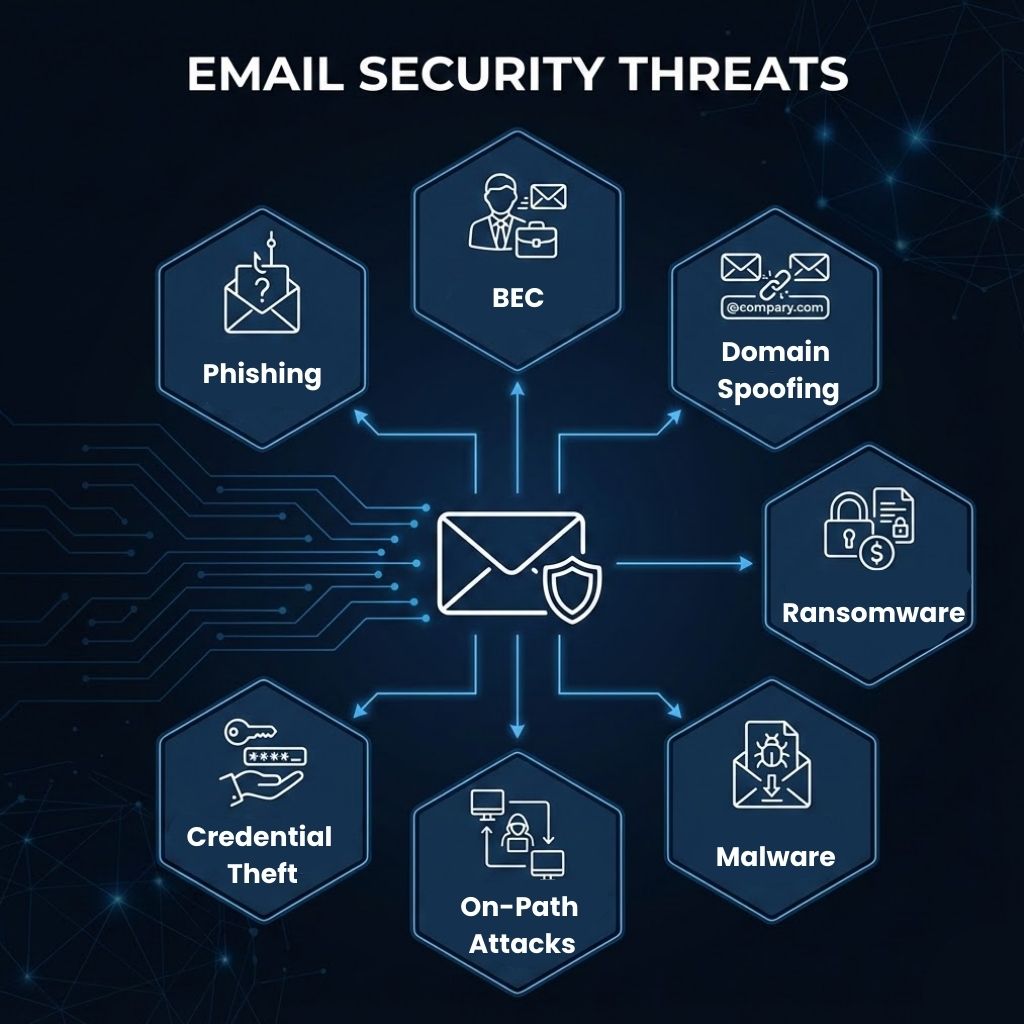
Phishing uses crafted messages to move a recipient toward a fake login page or a malicious file. Spear phishing narrows the same technique to one person, building the message from prior correspondence, org-chart detail, and public professional data.
Business email compromise redirects payments by impersonating an executive, a supplier, or a finance contact inside an existing conversation. Campaigns carry no malware and no malicious links, which removes every signature a content filter looks for.
Email spoofing forges the sending domain in message headers, while lookalike registrations swap a character or add a subdomain to pass visual inspection. Both techniques support brand impersonation against customers as readily as against employees.
Invoices, delivery notices, and HR forms carry the malware payloads that email delivers most reliably. Macro-enabled documents, archive files, and ISO images execute on open, and a ransomware loader delivered this way needs no vulnerability to succeed.
Cloned login portals collect passwords and session tokens, and the resulting mailbox access is quieter than any malware infection. Attackers holding stolen credentials read internal threads, add forwarding rules, and time their fraudulent request to a real transaction.
QR codes embedded in attachments move the victim to a personal phone, where corporate filtering and URL rewriting stop applying. SMS lures work the same way, and CloudSEK's analysis of current phishing trends records UK authorities logging 784 quishing reports between April 2024 and April 2025, with losses approaching 3.5 million pounds.
Reverse-proxy phishing kits relay a login in real time, passing the password and the second factor to the genuine service while keeping the session cookie. That cookie grants mailbox access without any further authentication, which makes app-based and SMS second factors ineffective against this social engineering pattern.
Email-borne fraud produced the largest enterprise loss category in United States crime reporting for 2025. The FBI Internet Crime Complaint Center logged 1,008,597 complaints and $20.8 billion in reported losses across all crime types that year.
Loss per incident separates the two headline categories more sharply than raw volume does. Phishing generated roughly eight times the complaint count of business email compromise, while BEC produced fourteen times the total losses, averaging near $123,000 for every reported incident.
Email authentication works by letting a receiving server verify that a message genuinely came from the domain it claims. Three DNS-published standards handle that check, and each one closes a gap the other two leave open.
Alignment carries the weight in this arrangement, since SPF and DKIM validate technical identifiers a recipient never sees. DMARC binds those results to the From address displayed in the mail client, the one identifier an impersonation attempt actually forges.
Policy rollout runs in three stages: p=none for reporting only, p=quarantine to route failures to junk, and p=reject to block them at the server. Publishing p=reject before every legitimate sending platform is authorized will stop genuine mail, so aggregate report review comes first. Google and Yahoo now require authentication from senders exceeding 5,000 messages a day, and Microsoft applies comparable rules to its consumer domains.
Configuration errors carry the same consequence as no configuration. CloudSEK's SVigil identified a misconfigured SPF record at a logistics SaaS vendor that let any sender on the internet spoof the company's domain, with receiving servers still delivering to the inbox.
Email security operates across five layers, each acting at a different point in a message's life. Coverage gaps appear where an organization runs one layer and assumes it performs the work of the rest.
Gateways inspect mail inline before it reaches the mailbox, matching senders against reputation data, detonating attachments in a sandbox, and rewriting URLs for click-time checking. Detection at this layer rests on signals a message carries at delivery, which leaves payload-free fraud largely untouched.
Integrated cloud email security connects to Microsoft 365 or Google Workspace by API and reads mail after delivery. Visibility extends to internal-to-internal messages, historical conversation patterns, and mailbox rule changes, none of which pass through an inline gateway.
Verdicts change as intelligence arrives, and a link judged clean at delivery turns malicious hours later. Automated clawback removes the message from every mailbox that received it, closing exposure between initial delivery and the updated verdict.
Data loss prevention inspects outgoing mail for regulated content and blocks or encrypts it against policy. Transport encryption protects the message in transit, and message-level encryption keeps content unreadable to anyone beyond the intended recipient.
Phishing infrastructure exists days or weeks before the first message is sent, and it is visible from outside the organization. Newly registered lookalike domains, cloned login pages, and dark web monitoring of leaked employee credentials give a security operations team warning during setup instead of after delivery.
Machine learning now operates on both sides of the inbox. Defenders apply it to behavioral baselines and language analysis, while attackers apply it to lure quality and campaign scale.
Attackers gained more from the same technology in absolute terms. Generated lures removed the spelling and grammar errors that awareness training taught staff to look for, and the IC3 recorded artificial intelligence as a distinct fraud category for the first time in its 2025 reporting.
Practice sequence matters more than the number of practices adopted. Identity controls come first because they limit what a successful phishing message achieves, and detection tuning follows from there.
Evaluation turns on the threats a product catches after the obvious ones are gone. Commodity spam and known malware are solved problems, and the remaining budget buys coverage of targeted fraud.
Response speed decides whether one clicked link becomes one compromised account or many. Five actions run in order, and the identity steps precede the mail-cleanup steps.
Inbox controls act on messages that have already been sent, and CloudSEK works one step earlier in the sequence. Attackers register the domain, clone the login page, and stage the hosting days or weeks before any message leaves their infrastructure.
XVigil, CloudSEK's digital risk protection platform, monitors surface, deep, and dark web sources for that preparation. Newly registered lookalike domains, cloned portals impersonating a brand, phishing kits configured against a company's login flow, and leaked employee credentials surface while the campaign is still being assembled, with domain takedown support to remove the infrastructure from circulation.
Evidence for the approach comes from CloudSEK's own casework, where researchers reached the operator panel of a Microsoft 365 phishing-as-a-service platform and recovered the victim list before most targets knew a campaign existed. Takedown coverage converts that visibility into removal, which is the only outcome that keeps a fraudulent domain out of the inbox entirely.
Neither regulation names email encryption explicitly. Both require appropriate technical safeguards for personal and health data, which encryption in transit satisfies.
No. Native filtering blocks commodity spam and known malware, while targeted BEC, session-theft phishing, and internal messages need layers beyond the platform default.
Quarterly at minimum, with monthly simulations for finance, executive, and IT administrator roles, which attackers mostly target.
No, not on their own. Data loss prevention blocks sensitive content leaving through email, though an insider using personal devices or external storage stays outside its reach.
Yes, during rollout. A reject policy published before every sending source is authorized will block genuine mail from unlisted marketing and ticketing platforms.
Security and IT operations own the controls, finance owns payment verification steps, and every employee owns reporting suspicious messages promptly.
