🚀 CloudSEK featured in the 2026 Frost Radar™!
Read more
.avif)

Clickjacking is a web attack that tricks users into clicking something different from what they see, usually by hiding a real button under a fake one. Known formally as UI redressing, it layers an invisible copy of a legitimate page over a decoy, so a click meant for the decoy lands on the hidden control instead. Researchers Robert Hansen and Jeremiah Grossman coined the term in 2008.
The threat is not theoretical. CloudSEK researchers uncovered a live phishing campaign that harvested credentials from 1,262 victims by framing companies' own login pages inside invisible iframes, an attack that worked only because those sites had not set an anti-framing header.
Clickjacking works by tricking users into clicking hidden elements on a legitimate website without realizing what they are interacting with. Attackers use deceptive page layouts to exploit the victim’s active session and permissions.
Clickjacking has evolved into several variants, each hijacking a different action.
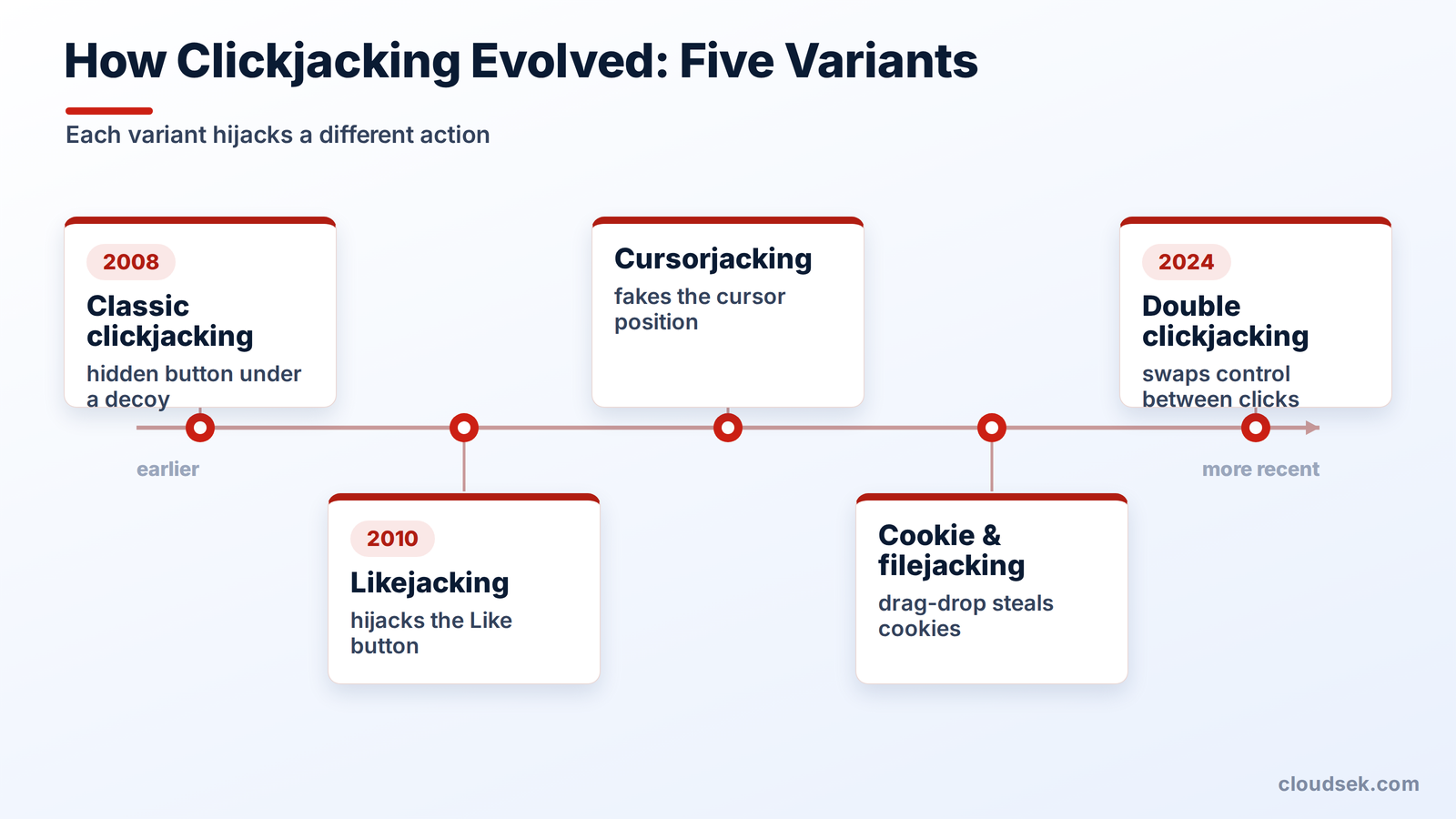
Likejacking targets social media actions. Around 2010, worms spread across Facebook by overlaying the “Like” button on decoy content, so victims unknowingly liked and reshared attacker pages, pushing the scam to their friends.
Example: A user visits a webpage promising a funny video. Clicking the video activates a hidden Facebook Like button, causing the user to like a scam page and potentially spread it to their friends.
Cursorjacking deceives the user about where the cursor actually sits. By replacing the visible pointer with a fake one offset from the real position, the attacker makes a click land somewhere the user never intended.
Example: A webpage displays a fake cursor over a harmless “Play” button while the actual cursor is positioned over a different control. The user clicks, unknowingly activating the hidden action.
These variants trick users into dragging and dropping content. A disguised interface coaxes the victim into handing over browser cookies or selecting local files, which the attacker then reads.
Example: A malicious webpage disguises a file-selection interaction as a simple drag-and-drop game, tricking the user into selecting a sensitive local file. Whether the attacker can access the file depends on browser protections and the specific vulnerability.
Disclosed by researcher Paulos Yibelo in December 2024, double clickjacking exploits the timing between two clicks. A page asks the user to double-click a harmless prompt, then swaps in a sensitive control between the clicks, so the second click authorizes an action on the real site.
It bypasses every standard defense, including X-Frame-Options, CSP frame-ancestors, and SameSite cookies. Because those headers do not stop it, the fix is a client-side script that keeps sensitive buttons disabled until a real user gesture, an approach already used by Dropbox, Stripe, and GitHub.
Example: A webpage asks a user to double-click a button to complete a verification step. Between the clicks, the page changes the underlying window to display an account authorization prompt, causing the second click to approve an action the user did not intend.
Clickjacking is often confused with cross-site request forgery (CSRF), but the two differ in one crucial way.
The distinction shapes the defense. A CSRF token cannot stop clickjacking, because the framed page loads legitimately on its own domain, and the request looks completely normal. Only controls that stop the page from being framed in the first place defend against it.
Effective clickjacking defense is server-side: stop untrusted sites from framing the page at all.
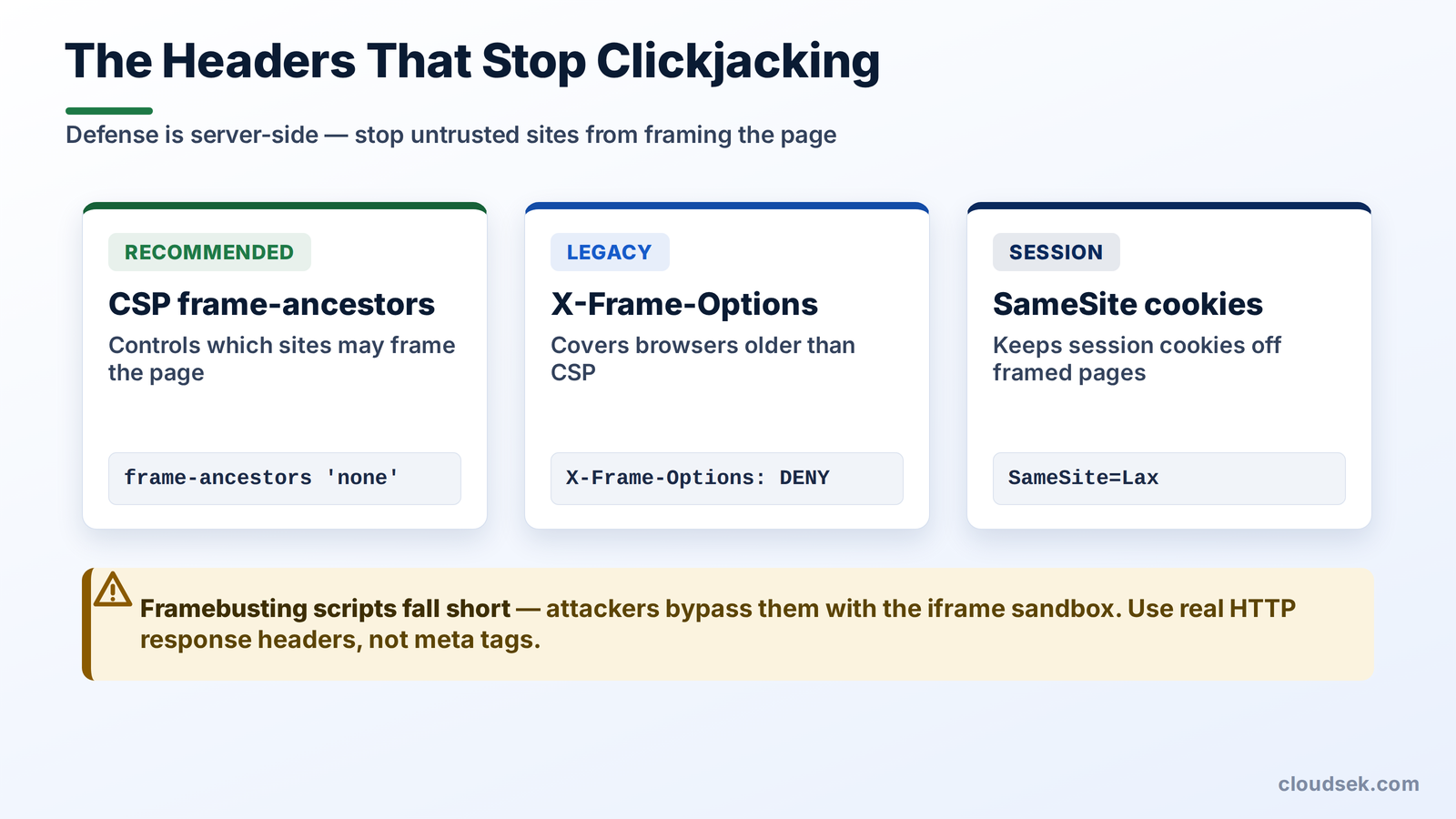
The Content-Security-Policy (CSP) frame-ancestors directive is the modern, recommended defense. It tells the browser which sites, if any, are allowed to embed the page in a frame. Set frame-ancestors 'none' to block all framing, or frame-ancestors 'self' to allow only the site's own domain.
X-Frame-Options is the older header that CSP frame-ancestors now obsoletes. Set it to DENY or SAMEORIGIN to protect legacy browsers that predate CSP. Where both headers are present, modern browsers honor frame-ancestors and ignore X-Frame-Options.
The SameSite cookie attribute controls when session cookies travel with cross-site requests. Setting it to Lax or Strict keeps the victim's session cookie from reaching a framed page, so an authenticated clickjacking attack fails. Browsers apply SameSite=Lax by default now, which is why classic clickjacking has grown harder to pull off.
Older sites used framebusting JavaScript to break out of frames, but it is unreliable. Attackers neutralize it with the iframe sandbox attribute, and it fails entirely when the browser blocks scripts. Two common mistakes still undo header defenses: placing these headers in a meta tag instead of an HTTP response header, which browsers ignore, and forgetting them on error pages or admin panels. For a full defense-in-depth checklist, the OWASP Clickjacking Defense Cheat Sheet is the authoritative reference.
Clickjacking protection is only as good as its coverage, and large organizations often miss the header on a forgotten subdomain, staging site, or admin panel. That single gap is what the phishing campaign above exploited.
CloudSEK BeVigil maps an organization's external web assets and flags the ones missing anti-framing headers, such as X-Frame-Options and CSP frame-ancestors, before an attacker frames them. It surfaces the exposed page rather than waiting for a breach report, closing the gap that manual header audits routinely leave open.
Yes, clickjacking is illegal in most jurisdictions because it involves unauthorized actions and fraud. Using it to steal credentials or money violates computer misuse and fraud laws.
No, antivirus software cannot stop clickjacking, because the attack exploits a website's missing framing controls, not the user's device. Protection depends on the site setting anti-framing headers.
Load the site inside a test iframe: if it renders, the page lacks framing protection. Inspecting the response headers with browser DevTools, curl, or securityheaders.com confirms whether a framing control is present.
Clickjacking hijacks a click on a real, framed website, while phishing lures the victim to a fake site to enter data. Attackers often combine the two, overlaying a phishing form on a framed legitimate page.
No, HTTPS does not prevent clickjacking; it only encrypts data in transit. Stopping clickjacking requires framing controls like CSP frame-ancestors or X-Frame-Options.
Yes, clickjacking works on mobile through a variant called tapjacking that overlays invisible layers to hijack taps. Both mobile browsers and malicious apps can carry out the attack.
